With the rising demand for efficient workflow processes, dictation software has emerged as a vital tool across various industries. Professionals, especially in fields such as medicine and law, benefit greatly from the accuracy and productivity enhancements offered by these technological advancements. Finding the best dictation software can mean achieving higher levels of productivity.
The Importance of Accuracy in Dictation Software

The cornerstone of any worthwhile dictation software is its accuracy. High accuracy levels are essential because they ensure that the transcribed text mirrors the spoken word with minimal errors. This is particularly critical in professions where mistakes can have significant repercussions, such as in the medical and legal fields. A program’s capacity to comprehend and correctly transcribe technical jargon, accents, and varying speech patterns is imperative.
Software that constantly requires corrections not only slows down the workflow but also undermines the whole purpose of utilizing such a tool. When the cost of inaccuracies is high, professionals must prioritize precision over convenience or other features. That’s why many opt for software engineered with advanced algorithms and language models to enhance accuracy rates.
Moreover, the best dictation solutions learn from their users, adapting to individual voices and speech patterns. This machine learning element drives continuous improvement, molding the software into an even more effective assistant over time.
It’s also wise to read reviews, seek demonstrations, and conduct trials to get a firsthand understanding of how accurate a program truly is. Comparison of real-life usage across different environments and dictation scenarios provides a practical basis for anticipating the software’s performance in your specific context.
Balancing Speed and Precision
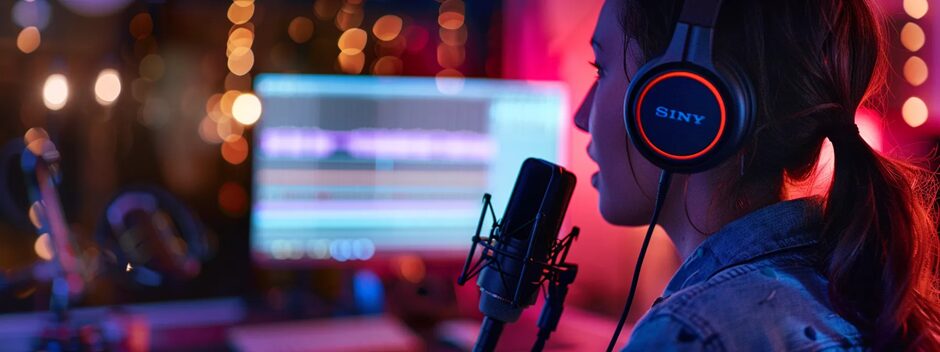
Speed is another vital aspect of any dictation software. The primary goal is to expedite tasks that would otherwise take longer if typed manually. Hence, dictation solutions must offer a swift transcription service without compromising on precision. If the trade-off between speed and accuracy is too great, the result is often counterproductive, leading to extensive manual editing.
It’s common to encounter software that boasts lightning-fast transcription but, upon closer inspection, yields suboptimal accuracy that requires significant time for corrections. Speed should not be touted at the expense of reliability. The aim is to find a harmonious balance where dictated words are processed swiftly and turned into text with commendable speed and precision.
A dependable software should enable users to maintain the natural pace of their speech without having to slow down for the technology to catch up. In an age where time is of the essence, the efficiency of dictation software is measured not just by how fast it transcribes, but also by how little it interrupts the workflow.
The Role of Advanced Features in Enhancing Dictation Quality
Dictation software equipped with advanced features can significantly enhance overall dictation quality. Features such as specialized vocabulary lists, voice commands for formatting and editing, and compatibility with various file formats extend the software’s use beyond mere transcription. In professional settings, the ability to customize vocabulary to include industry-specific terms can save time and boost accuracy.
Speech recognition technology has also made significant strides in recognizing and understanding context, which has greatly improved the user experience. The smart dictation tools can detect nuances, reducing misinterpretations and errors that could arise from homophones or industry-specific phrases. This contextual understanding is crucial for delivering a polished final output.
Additionally, security features cannot be overstated, especially where sensitive information is involved. Having robust encryption and secure data handling processes is a non-negotiable aspect of dictation software for many professionals. Prioritizing software with a strong commitment to security reassures users that their confidential information remains protected.
Customizability and Integration
While the underlying technology is undoubtedly important, the user experience is what ultimately determines the user’s interaction with the software. An intuitive interface saves time and reduces the learning curve, allowing professionals to focus on their core work rather than on operating the software.
Integration capability is another feature that enhances the user experience. The ability for dictation software to work in unison with other applications and services simplifies workflow and productivity. Such integrations may include email clients, word processing programs, and specialized professional software. The more a dictation tool can become a part of the user’s digital environment, the more valuable it becomes.
Software that offers support for multiple devices and platforms is also a plus, ensuring that professionals have access to their dictation tool whether they’re at the office or on the go. Cross-platform compatibility means that no matter the device—a smartphone, tablet, or desktop computer—users can count on the same level of functionality and convenience.
Overall, by thoroughly assessing each factor and conducting careful comparison, professionals can equip themselves with a dictation solution that efficaciously complements and enhances their workflow efficiency.