Ever found your creative flow interrupted by sluggish internet, blocked tools, or a nagging sense of digital insecurity?
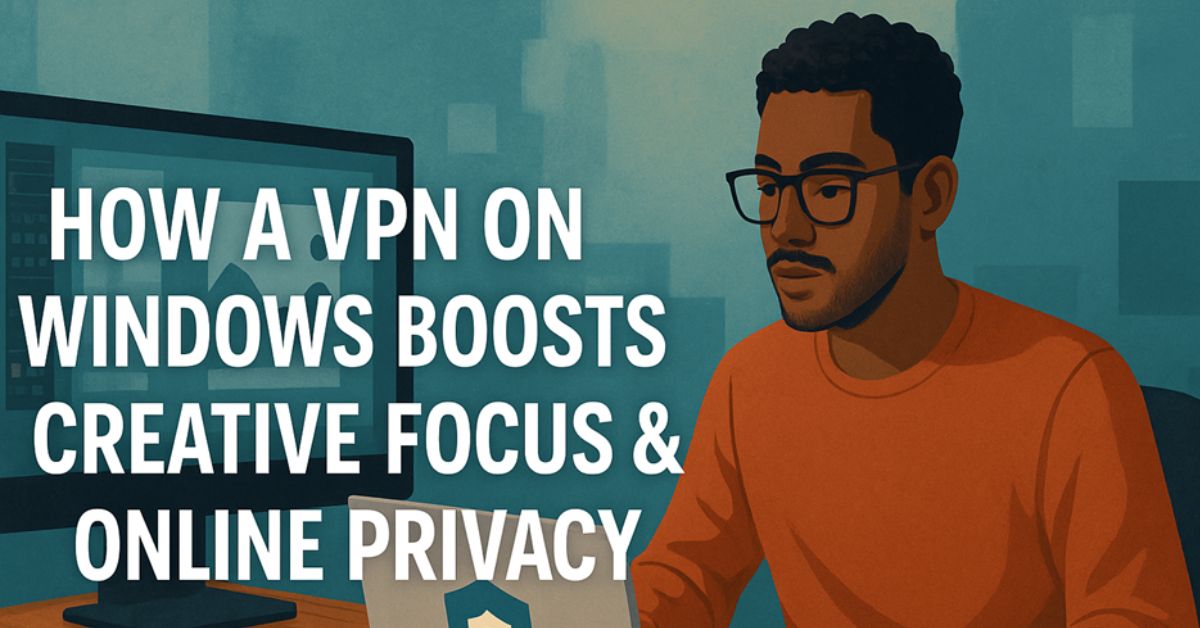
For remote creatives working across platforms and borders, digital interruptions aren’t just frustrating—they can derail productivity. Many don’t realize that using a VPN on Windows can solve more than just security concerns. It can actually enhance your creative focus.
This article explores how a VPN can serve as a creative ally—helping you bypass distractions, speed up access to global tools, and protect your ideas—while showing you how to set it up smoothly on Windows without sacrificing performance.
The Hidden Creative Killers Online
Online obstacles can chip away at your productivity before you even realize it. Creatives often face a unique set of digital challenges:
Geo‑Restrictions on Tools and Content
Many creative resources—like design assets, font libraries, UX research, or video references—may not be accessible in every region. Without a VPN, encountering “This content is not available in your country” becomes a common barrier.
ISP Throttling
Internet service providers often reduce bandwidth when detecting large uploads or media streaming. If you’re syncing files to cloud storage, uploading video content, or collaborating via real-time platforms, your connection might slow down unexpectedly.
Unsecured Public Wi‑Fi
Freelancers and remote teams often work from cafés, coworking spaces, or airports. These networks lack encryption, exposing your data to cyber threats such as packet sniffing and credential theft.
Privacy Invasion from Trackers
Targeted ads, behavioral trackers, and browser-based fingerprinting make online spaces noisy and distracting. This digital clutter adds to cognitive fatigue and impedes deep work.
How a VPN for Windows Supports Creative Flow

A high-quality VPN for Windows can improve both the technical and mental environment in which creativity thrives. Here’s how:
Improved Speed and Stability
A Windows VPN can help you bypass ISP throttling by routing your traffic through high-performance private servers. This often results in smoother uploads, better sync times, and less lag in creative applications like Adobe Creative Cloud or Figma.
Global Access to Creative Tools
With a VPN on Windows, you can change your IP address to another region and unlock access to otherwise restricted platforms, stock libraries, or digital tools. This is particularly useful for global teams or freelancers working with international clients.
Enhanced Digital Privacy
By encrypting your traffic and masking your IP, a VPN protects your browsing history, downloads, and login activity from being tracked by ISPs or malicious actors—especially valuable when using shared or public internet.
Distraction Reduction
When combined with tracker-blocking features or browser extensions, a VPN helps reduce hyper-targeted ads, retargeting campaigns, and activity-based content that often pulls attention away from tasks.
Setting Up a VPN on Windows (Without the Headache)
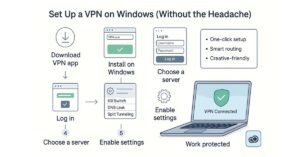
Using a VPN on Windows can be fast and seamless—no technical expertise required.
Choosing the Right VPN for Windows
Look for providers that offer:
- A native Windows app with an intuitive interface
- No-log policies to protect your activity
- High-speed, multi-region server networks
- Security features like kill switch, split tunneling, and DNS leak protection
Top Windows VPN to Consider:
If you’re a creative professional using Windows, the VPN you choose should do more than just encrypt your connection—it should actively support your workflow.
X-VPN is a strong all-around performer built for speed, reliability, and simplicity. It offers:
- 8000+ global servers coverage for fast access to region-locked creative tools
- No-log policies to keep your browsing and file-sharing private
- User-friendly Windows app with one-click setup
- Advanced security features like DNS leak protection and a kill switch
- Smart routing and obfuscation modes, ideal for working in restrictive networks or high-risk environments
Whether you’re uploading video projects, syncing design files, or collaborating across time zones, X-VPN keeps your connection fast, focused, and protected—without adding friction to your day.
Setup Steps for Beginners
- Download the VPN app from the provider’s website.
- Install and open the app on your Windows device.
- Log in with your user credentials.
- Select a server location—choose one close to you for speed or specific to the region of content you want to access.
- Enable essential settings: turn on the kill switch and prevent DNS leaks.
- Use split tunneling to keep streaming or high-bandwidth apps separate from work-related VPN traffic.
Tips for Creative Efficiency
- Test servers for performance and save the fastest one as a favorite
- Use auto-connect when launching Windows to ensure full protection
- Schedule VPN usage during your focused work sessions to eliminate disruptions
Real‑World Use Cases from Remote Creatives
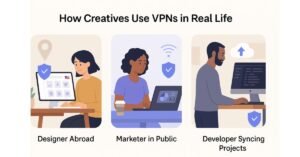
These scenarios show how VPNs are actively helping digital professionals improve workflow and security:
Designer Abroad Accessing Global Assets
A freelance UI/UX designer based in Spain regularly needs U.S.-exclusive icon packs and UI templates. She connects to a U.S. VPN server to access restricted libraries in seconds—no project delays, no compromise in tool selection.
Marketer Working in Public
A digital marketer often reviews analytics dashboards and ad platforms while traveling. Working in cafés, she uses a VPN on her Windows laptop to encrypt login data and keep her client campaigns secure from potential intrusions on public Wi-Fi.
Developer Syncing Client Projects
A freelance developer uses GitHub, Google Drive, and cloud backups daily. By routing sensitive sync traffic through a VPN with split tunneling, he avoids bandwidth throttling while maintaining maximum upload speeds and ensuring security.
Bonus Tools to Pair with Your VPN for Maximum Focus
A VPN is powerful, but it works even better alongside these tools:
| Tool | Purpose | Creative Benefit |
| uBlock Origin | Blocks trackers and ads | Reduces distractions and speeds up browsing |
| Trello / Notion | Organizes creative workflows | Helps prioritize tasks and stay in flow |
| Dropbox / NordLocker | Secure file storage and sharing | Keeps project files encrypted and accessible across devices |
| Freedom.to | Blocks distracting websites | Maintains deep work periods without temptation |
Combining these tools with your VPN gives you a controlled, clean, and distraction-free creative environment.
Conclusion: A VPN is Your Creative Safety Net
The value of a VPN goes far beyond technical security—it creates space for creativity to flourish. By eliminating bottlenecks, protecting your digital environment, and simplifying access to global tools, a VPN on Windows empowers you to stay in flow and on task.
In a world where privacy concerns and digital clutter are constant, a VPN provides both protection and peace of mind. Add it to your tech stack not just as a firewall—but as a creative enabler.
Start small: install a trusted VPN this week, route your most important creative apps through it, and see how your focus and speed respond. In most cases, the shift is both immediate and transformative.