Understanding AI-Powered 3D Generation
Artificial intelligence is changing how we make 3D models. Instead of spending hours manually shaping polygons, AI tools can now take a 2D image and generate a 3D representation. This process often uses machine learning models trained on vast datasets of 3D objects and images. The AI analyzes the input image, identifying shapes, textures, and depth cues to construct a three-dimensional form. This approach is particularly useful for quickly creating rough models or concept pieces.
The speed at which AI can process an image and output a 3D model is a significant advantage. This rapid conversion allows artists to iterate on ideas much faster than traditional methods. For example, a designer might feed several concept sketches into an AI tool to get multiple 3D variations in minutes, rather than days. This acceleration is a game-changer for project timelines.
While AI-powered 3D generation is impressive, it’s important to understand its current limitations. The accuracy and detail of the resulting models can vary greatly depending on the AI model used and the quality of the input image. Often, the generated models require further refinement and cleanup by an artist to be production-ready. However, for initial concepting and rapid prototyping, AI offers an unparalleled speed boost.
Key AI Tools for Transforming Images
Several AI tools are making waves in the 2D to 3D conversion space. Platforms like Luma AI utilize NeRF (Neural Radiance Fields) technology, which can create highly realistic 3D models from videos or a series of photos. These models often capture intricate details and lighting accurately, making them suitable for digital twins of real-world objects. For game developers, Alpha3D focuses on generating game-ready assets from text prompts or 2D images, optimizing models for engines like Unity and Unreal Engine.
For those experimenting or on a budget, tools like Bylo.ai and CGDream offer accessible ways to turn 2D images into 3D models quickly. While the output might not match professional-grade software, they are excellent for learning and exploring the capabilities of AI in 3D creation. Shopify also integrates AI tools for e-commerce, allowing merchants to create 3D product views from photos, which can boost customer engagement and reduce returns.
When selecting an AI tool, consider the specific needs of your project. Are you aiming for photorealistic accuracy, stylized game assets, or quick concept visualization? Researching different platforms and testing them with your own images will help you find the best fit. The field is constantly evolving, with new tools and improved algorithms appearing regularly.
Benefits of AI in Accelerating 3D Workflows
The primary benefit of using AI for image-to-3D conversion is the dramatic reduction in time. What might take hours or days of manual modeling can often be achieved in minutes. This speed allows artists to focus more on creative refinement and less on repetitive tasks. For instance, generating multiple variations of an object from different angles can be done rapidly, speeding up the ideation phase.
AI tools can also democratize 3D creation, making it more accessible to individuals without extensive traditional 3D modeling experience. By simplifying the initial conversion process, artists can get a 3D asset from a 2D image with less technical overhead. This is particularly helpful for small teams or independent creators who need to produce a high volume of assets efficiently.
Ultimately, AI-powered image-to-3D conversion accelerates the entire creative pipeline. It enables faster prototyping, quicker iteration cycles, and the ability to explore more creative possibilities within tighter deadlines. This makes it an invaluable asset for anyone looking to speed up their 3D projects.
Photogrammetry: Capturing Reality for 3D Models
Photogrammetry is a method that uses multiple photos of a real object to build a 3D model. It’s like taking a bunch of snapshots from every angle and letting software stitch them together. This process is great for making realistic 3D copies of physical things. You need to be careful when taking the pictures, though.
The Process of Photogrammetry Explained
To get started with photogrammetry, you need a good camera. A DSLR or even a modern smartphone can work. The key is to take a lot of photos – think 20 to 100 or more – from different viewpoints around your subject. Consistent lighting is also important. No harsh shadows or bright reflections. This helps the software figure out the object’s shape and texture accurately.
Essential Tools for Photogrammetric 3D Creation
There are several software options for photogrammetry. Meshroom is a popular free, open-source choice that can create 3D meshes with textures from your photos. For more professional work, Agisoft Metashape offers high-quality results and fine detail. COLMAP is another option, often used for research, that can generate dense point clouds and camera paths.
Achieving High Accuracy with Multiple Images
Getting accurate results with photogrammetry really comes down to the photos you take. High-resolution images with clear edges and good contrast make a big difference. Avoid busy backgrounds. The more overlap and consistent angles you have between your shots, the better the final 3D model will be. This technique, photogrammetry, is powerful for replicating real-world objects with impressive detail.
The quality of your input photos directly impacts the final 3D model. Pay attention to lighting, focus, and the number of angles captured.
2D to 3D Software for Vector and Line Art
Transforming flat designs into three-dimensional objects is a common need for many creative projects. When working with vector graphics or clean line art, specialized software can make this process quite efficient. These tools often use techniques like extrusion to give depth to 2D shapes.
Utilizing Vector Graphics for 3D Extrusion
Vector graphics, with their mathematically defined paths, are perfect for conversion into 3D models. Software can take these paths and extend them into the third dimension, creating solid forms. This method is particularly useful for logos, text, and geometric designs where clean edges are important. The process of 2D to 3D conversion using vectors is straightforward.
Software Solutions for Line Art Conversion
Several software options excel at converting line art into 3D. Adobe Illustrator, for instance, allows users to export vector paths that can then be imported into 3D modeling programs like Blender. Blender itself offers tools like Grease Pencil, which can convert hand-drawn strokes directly into 3D geometry. Online platforms like Vectary also provide user-friendly interfaces for this type of conversion, often with drag-and-drop functionality.
Best Practices for Clean 2D Inputs
To get the best results when converting 2D to 3D, the quality of your input image matters. Ensure your line art is clean, with no stray lines or gaps. For vector files, check that paths are closed where they should be. High-resolution images with good contrast between the lines and the background will yield more accurate 3D models. Simplifying complex designs before conversion can also prevent issues.
- Prepare your artwork: Clean up stray pixels or lines.
- Use closed paths: For vector art, ensure shapes are closed.
- High contrast: Make sure lines stand out from the background.
- Simplify: Reduce complexity for better results.
The accuracy of the final 3D model heavily relies on the clarity and structure of the initial 2D artwork. Simple, well-defined shapes convert more reliably.
This approach to 2D to 3D conversion is ideal for projects that require precise, geometric forms derived from flat designs.
Manual Modeling with Image References
Integrating 2D Images into 3D Software
This method involves using 2D images as blueprints or guides within 3D modeling applications. Artists load reference images, often from multiple angles, into their software. These images then serve as a visual guide for building the 3D model. It’s a hands-on approach that requires careful observation and skill.
The Role of Modeling Skills in Accuracy
When you’re doing manual modeling, your own abilities really matter. The precision of the final 3D model directly depends on how well you can interpret the 2D reference and translate it into 3D space. This means understanding forms, proportions, and how to manipulate digital geometry effectively. Good modeling skills are key to getting an accurate result.
Balancing Time Investment with Creative Control
Manual modeling offers the highest level of creative control. You can tweak every detail, ensuring the final output matches your artistic vision precisely. However, this control comes at the cost of time. It’s a trade-off artists must consider: how much time are they willing to invest for that perfect, hand-crafted look versus using faster, more automated methods? This approach is great for unique or complex shapes where automation might fail.
Manual modeling with image references is like sculpting with digital clay. You have complete command over the form, but it demands patience and a good eye for detail. It’s a process where artistic intent meets technical execution, allowing for truly unique creations that automated tools might miss.
Streamlining Creative Projects with Image to 3D
Accelerating Game Asset Creation
Game development often involves creating many 3D assets. Using image-to-3D platforms can really speed this up. Artists can take concept art or even simple sketches and quickly generate base 3D models. This means less time spent on manual modeling for common objects, letting artists focus on more complex or unique elements. The ability to quickly turn 2D ideas into 3D shapes is a game-changer for asset pipelines.
Enhancing E-commerce Product Visualization
For online stores, showing products in 3D can boost customer engagement. Image-to-3D tools allow businesses to create 3D models of their products from photos. This makes product pages more interactive, letting customers view items from all angles. It’s a way to make online shopping feel more like in-person browsing, improving the overall customer experience.
Applications in AR/VR and Prototyping
Augmented Reality (AR) and Virtual Reality (VR) experiences rely heavily on 3D content. Image-to-3D technology makes it easier to populate these virtual worlds with objects. Similarly, in product design, rapid prototyping is key. Artists can use these tools to quickly turn 2D designs or mockups into 3D prototypes, allowing for faster iteration and testing before committing to physical production. This process of converting images to 3D models is becoming standard.
Overcoming Challenges in Image to 3D Workflows
Addressing Geometry and Resolution Issues
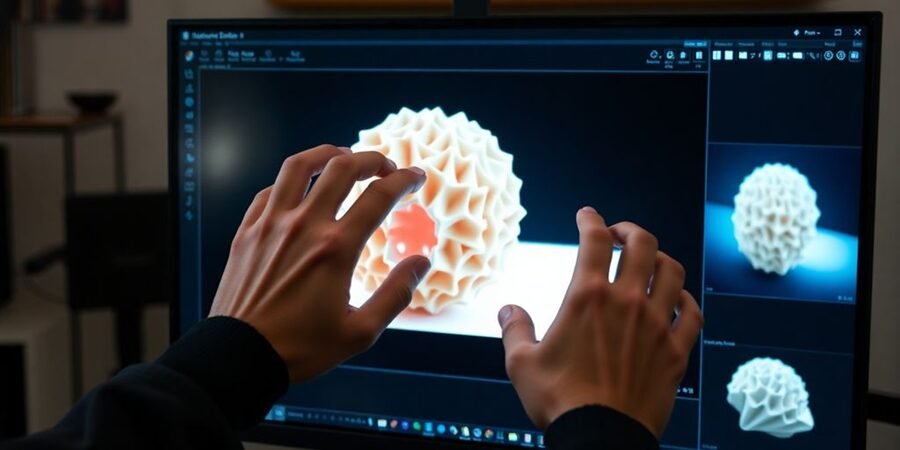
Getting the geometry and resolution right can be tricky. Low-resolution images often lead to jagged edges and a loss of detail. Always aim for high-resolution inputs; it makes a big difference. If your initial conversion results in distorted shapes, you might need to clean up the mesh using software like Blender. Using clean, front-facing images with minimal perspective distortion helps the tools focus on the subject’s actual form.
Managing Complex Backgrounds and Angles
Complex backgrounds can really throw off the conversion process. Tools might get confused, trying to model parts of the background instead of your intended subject. It’s best to use images with solid backgrounds or remove distractions beforehand. If you’re using photogrammetry, capturing many photos from various angles is key. For AI tools, a clear, centered image works best. Managing angles is part of the image to 3D challenge.
Ensuring Models are Ready for Production
Sometimes, the models you get aren’t quite ready for prime time. They might need retopologizing for better performance in games or animation, or smoothing to look less blocky. Mesh cleanup tools are your friend here. Don’t be afraid to combine AI-generated models with manual adjustments. This hybrid approach often yields the best results, making your image to 3D creations production-ready.
Wrapping Up: The Future of 2D to 3D Creation
So, it’s pretty clear that turning 2D images into 3D models is changing how artists work. Whether you’re aiming for super-realistic game assets, quick product prototypes, or just want to experiment with new ideas, these tools offer a faster path. AI is making things quicker, photogrammetry gives you detail, and manual modeling still offers the most control. The best approach really depends on what you’re trying to make and how much time you have. It’s a good idea to try out a few different tools and see what clicks with your own creative process. This technology is only going to get better, so it’s worth getting familiar with it now.