In today’s highly connected world, digital security has become a top priority concern for parents in 2025. Since children communicate online more than ever via messaging apps, social media, and other platforms, there is a fine line between monitoring their online activities and crossing boundaries. Although parental control apps are relatively plentiful on the market, with dozens of them available, many perform invasive setups or always need access to devices, creating additional overhead layers and possible detection.
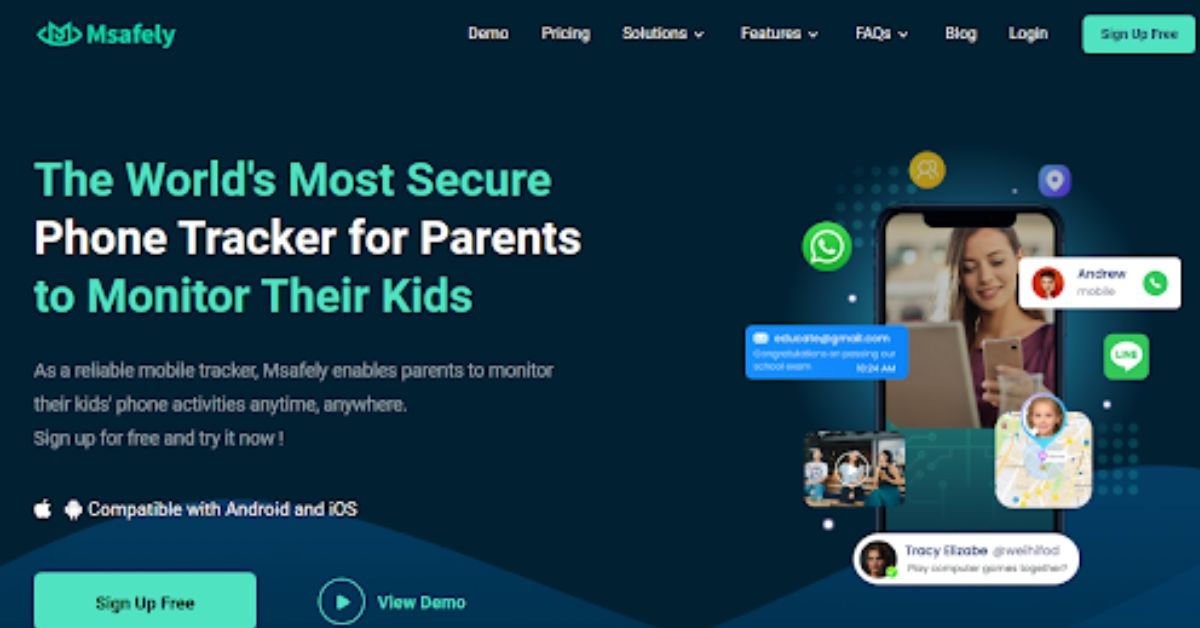
It is at this point that Msafely comes in. This upcoming tracker will improve ease of use and privacy, and ensure a cloud, no-installation service that acts in the background. This article will examine how Msafely operates, its capabilities, its comparisons with other services, and how it became one of the most successful in 2025.
What Makes Msafely Different?
Msafely’s most significant edge in 2025 is its no-installation requirement—a game‑changer in parental monitoring. Parents do not have to touch the target device or sideload applications. It is the best app to track kids’ location using cloud-based technology to monitor your children without them knowing.
A stealth mode experience with no icons, no background processes, and no traces that could tip off your child. Pairing is fast and user-friendly—Msafely guides you step-by-step through the setup in just a few minutes. Parents without tech experience can quickly gain complete visibility into calls, texts, social feeds, locations, and more. This easy and discreet cloud pairing makes Msafely stand out in 2025’s crowded parental‑control market.
Key Features of Msafely

Msafely has an extensive set of features, all focused on the modern realities of parenting, that include real-time data on the mobile activity of a child in several dimensions:
- Call and SMS Monitoring – Check all the incoming, outgoing, and missed calls with the name of the contacts, time, and even duration of each call. Texting messages can also be read fully, including text messages that have been deleted, so no conversation is lost.
- Real-time GPS Tracking Location – Obtain the real-time location of your child through a digital map. It is also possible to see the history of their locations. This can help you check your kids’ movement patterns. Details like coming to school, a sports practice session, or visiting a friend.
- Use of Social Media – It gathers data on apps such as WhatsApp, Snapchat, Instagram, and many others. Msafely records text messages and voice memos, shared photos, and videos. It also keeps tabs on disappearing messages, which are important to find out about cyberbullying or inappropriate communications.
- History in Browser & Keyword Alerts – Obtain cataloged history of websites visited into topics. Use keyword filters so that you get alerts when your child tries to look at the keywords pertaining to violence, self-harm, or adult content.
- Screenshots & Screen Recording – Take automated or anytime screenshots and even record what is on your screen so that you may have a better idea of what your child is doing.
- Geofencing & App Use Logs – Set safe areas (such as school and home) and receive alerts when they are entered or left. Check what applications are installed and the usage duration, and identify whether there are any signs of digital addiction and insecure platforms.
Such powerful tools empower parents to be well informed and active, which creates a safer digital environment to educate children without appearing overbearing.
Msafely Setup for Android & iPhone
Msafely offers two streamlined installation options for both Android and iPhone users—traditional and cloud-based—so parents can monitor without unnecessary complications or physical access when not possible.
Android Setup Options
1. APK Installation Method (Requires Access)
- Install the app manually, and provide all the available permissions.
- The app conceals itself and works under the pull of the background without an icon being visible.
- The app hides itself automatically, running in the background without any visible icon.
- Offers the complete feature set, including screen recording and live GPS tracking.
2. Google Cloud Pairing (No Install Required)
- From your Msafely dashboard, log in with your child’s Google account credentials.
- A two-factor authentication code (from the child’s device) may be required once.
- Once verified, Msafely syncs data via Google Cloud: call logs, messages, GPS, and app usage.
- No app appears on the device—perfect for stealth and remote pairing.
iPhone Setup Option
iCloud Sync Method (No Install Required)
- Enter your child’s iCloud email and password into your Msafely account.
- Once connected, the platform pulls data backed up to iCloud: messages, calls, Safari history, GPS, and app activity.
- No need to handle the device or install anything.
- Works silently in the background, with no notifications or system alerts.
This dual-method setup makes Msafely one of the most flexible and accessible tools for modern parental monitoring.
Msafely vs. Top Competitors

In 2025, there’s no shortage of phone monitoring app for parents, but few match Msafely’s setup flexibility. The cloud-based approach on Android and iOS sets it apart, letting parents monitor devices without installing software or having physical access. This starkly contrasts with competitors like SpyX, mSpy, Bark, and MMGuardian, which demand direct app installs or device handling:
| Feature | Msafely | SpyX | mSpy | Bark | MMGuardian |
| Installation Required | No installation needed; cloud-based pairing via credentials | No install, but limited to content filtering | App installation required; physical access needed | No install, but limited to content filtering | Requires app download and setup on the child’s device |
| Android Setup Options | Offers both APK install and Google Cloud login for flexible pairing | Offers both APK install and Google Cloud login for flexible pairing | APK install only | Cloud access, no full control | App-based only |
| iPhone Setup Options | iCloud login enables remote access without jailbreaking | iCloud login enables remote access without jailbreaking | Requires iCloud login or jailbreak for advanced features | iOS support via email & message scan | Requires iOS configuration manually |
| Stealth Mode | Runs silently in background; invisible to target | Operates in stealth mode | Good stealth, but may show system activity | Not stealth-capable | Visible; child can see and disable it |
| Social Media Monitoring | Supports WhatsApp, Instagram, Snapchat, Messenger, and more | WhatsApp, Snapchat, Instagram supported | Wide social media access including Telegram, Tinder | Limited to YouTube, Instagram | App usage reports only; no chat access |
| Screen Activity Monitoring | Offers remote screenshots and screen recording | Screen capture available | Screenshots and keylogger features | No screen access | Screenshots available |
| Call & SMS Monitoring | Logs call history and SMS content with timestamps | Provides full call/SMS logs | Real-time call and message tracking | Not supported | Tracks calls/SMS but requires permissions |
| Location Tracking | Real-time GPS with location history and geofencing | GPS tracking with history | GPS tracking and geofencing | General location tracking | Real-time GPS and safe zone alerts |
| Ease of Use | Clean dashboard; pairing complete in minutes | Modern UI, straightforward setup | Advanced dashboard; higher learning curve | Designed for non-technical users |
FAQs
Is it legal to use Msafely?
Yes. It is legal to monitor your child or dependent’s device using Msafely, especially when the intent is for parental supervision and safety.
Do I need the target phone to start monitoring?
No. Msafely’s iCloud (iOS) and Google Cloud (Android) solutions allow full setup remotely, just with the account credentials.
Will my kid know I’m monitoring?
No. Msafely’s solutions are designed to be completely discreet. There’s no app icon, notification, or alert on the target device that would reveal monitoring.
Conclusion
Msafely’s modern approach to parental control—leveraging cloud sync and stealth monitoring without needing physical access—makes it one of the most innovative solutions of 2025. Incredible monitoring services such as GPS, social media, screen captures, and keywords not only allow parents to have complete insight but also allow them to remain virtually invisible. Any concerned parent who wants a safe, non-intrusive, and tech-esque option to access their child’s digital world will find Msafely both flexible and full of peace. If ease, privacy, and effectiveness are your main concerns, Msafely could be a good idea to pay attention to this year.