
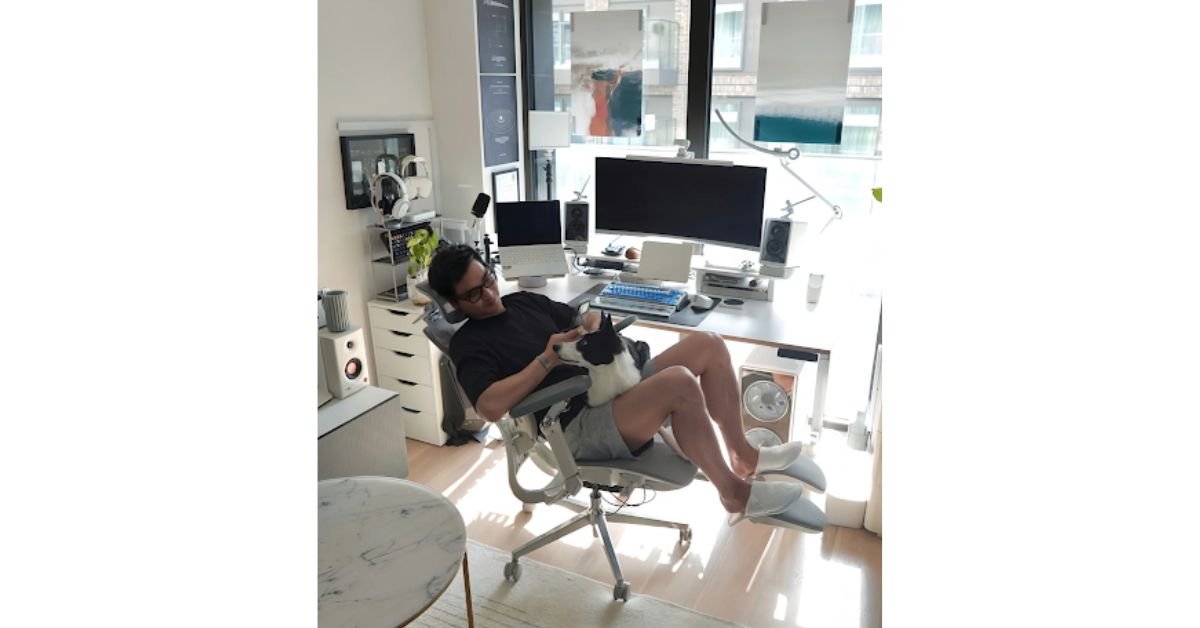
Purchasing an office chair in 2026 feels more complicated than it needs to be. Words like adaptive lumbar support, multi-directional armrests, smart posture tracking, and zero-gravity recline fill the product pages. Many of these features can genuinely help with comfort, but others add cost without addressing what people notice most during a typical workday.
The most expensive model or the chair with the longest specification list isn’t always the best office chair 2026. It’s the one that works for your body, matches your desk, supports position changes, and stays simple enough to use correctly. This guide aims to isolate the features that will actually have an impact on daily use, the extras every prospective user has to assess for themselves, and what you need to check before you buy.
What Makes a Chair Truly Ergonomic?
An ergonomic chair needs to fit the user’s body size, workstation, and work duties. Adjustability matters most, because it improves fit and supports a range of sitting postures.
1. Seat Height, Depth, and Width Come First
Your feet should rest securely on the floor or a stable footrest, with your thighs supported. A poor seat height can leave your feet unsupported or make the desk feel too high.
Seat depth is equally important. A deep seat can press behind the knees and encourage you to sit away from the backrest. A shallow seat may leave too much of the thighs unsupported. OSHA recommends supporting most of the thigh without letting the front edge touch the back of the knee.
Check:
- Minimum and maximum seat height
- Adjustable seat-depth range
- Seat width and armrest spacing
- Published weight capacity
- Overall size compared with your desk
2. The Best Office Chair 2026 Needs Useful Lumbar Support
Lumbar support should meet the natural inward curve of the lower back. It should not press sharply into the spine or sit so low that it pushes against the pelvis.
Fixed, Adjustable, or Dynamic?
Fixed support works when its shape matches your body. Adjustable support offers control over height, depth, or pressure. Dynamic systems aim to maintain contact as you move between upright work and reclining.
Some people prefer a manual setting, while frequent posture changers may benefit from responsive support. More technology is not automatically better.
HBADA’s current 2026 Buying Guide compares chairs by lumbar design, adjustment range, intended use, footrest availability, and price tier. It also advises buyers to confirm current specifications and variants before purchasing.
3. Seat Material Affects Pressure and Heat
Just because you can’t feel the ground doesn’t mean you’re more comfortable on a thick cushion. Also, softer foams may conform unevenly and allow sinkage during extended use, while firmer foams usually provide more uniform support.
Mesh provides better air circulation, making it a good option in hot rooms. Cushioned seats are always soft at the beginning. There is no one-size-fits-all material.
Look for an evenly fitted, rounded front edge, good ventilation, and heavy-duty materials without structural pressure points. Judge comfort after sustained use, not first impressions.
4. Armrests Must Match the Desk
Armrests need to support the forearms without lifting the shoulders. They only become a problem when they are too tall, too wide, or in the way of getting the chair close to the keyboard.
OSHA recommends armrests that allow relaxed shoulders and keep the upper arms close to the torso.
Height adjustment is the minimum useful feature. Additional movement can help with typing, mouse work, and writing. Stable locking and the correct range matter more than a large advertised count.
5. Recline Should Encourage Movement
A supportive chair should not trap you in one rigid posture. Recline lets you shift pressure and change how the backrest supports you.
Useful features include adjustable tension, practical locking positions, smooth movement, reachable controls, and a stable base. Extreme recline may look impressive, but controlled movement during the workday is usually more valuable.
OSHA’s workstation guidance also emphasizes posture changes and avoiding prolonged sitting or standing.
6. Headrests and Footrests Are Optional
A headrest can support the neck during reclining, reading, or calls. During keyboard work, it should not push the head forward, so adjustability matters.
A built-in footrest can improve comfort during breaks, but it does not automatically improve active working posture. Your feet still need stable support.
A separate footrest is useful when the desk is too high and lowering the chair would leave your feet unsupported. OSHA recommends stable foot support in that situation.
7. Controls Should Be Easy to Understand
A chair with many adjustments is not useful if the controls are confusing or hard to reach. You should be able to change the main settings while seated and reproduce a comfortable setup later.
When comparing the best office chair 2026 options, ask: will I realistically use these features every week? A simpler chair with better fit can provide more value than a complex model that is never adjusted correctly.
8. Build Quality and Ownership Terms Matter
Check the base, gas lift, casters, adjustment mechanisms, frame materials, and maximum load. OSHA recommends a strong five-legged base and casters suited to the floor.
Recognized standards can show that a chair has been tested against defined safety and durability requirements. ANSI/BIFMA X5.1 covers general-purpose office-chair testing. We don’t claim certification will make you comfortable, but it’s much more meaningful than vague terms like “heavy duty.”
Pay attention to the warranty, return conditions, availability of replacement parts, assembly instructions, and customer support. There’s real value in the simplicity of choosing a chair whose service terms are a known quantity.
 Which Features Matter for Different Work Styles?
Four to Six Hours per Day Focus on proper seat sizing, basic lumbar support, and armrests that fit comfortably below the table.
Eight or More Hours per Day Look for adjustable seat depth, broader lumbar control, reliable recline, and versatile armrests.
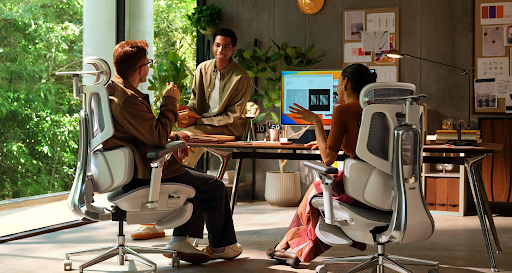
Shared Workstations Choose a broad adjustment range with controls that are easy to reset.
Warm Rooms Breathable mesh may be more practical than thick cushioning.
Reclining During Breaks A headrest and footrest can add value if they do not interfere with desk work.
Features That Often Receive Too Much Attention
Do not let these extras outweigh fit:
- Massage functions: Pleasant, but not a substitute for lumbar support.
- Heating or cooling: Useful, but secondary to seat fit.
- Extreme recline: Impressive, though moderate movement often matters more.
- Large adjustment counts: Valuable only when the range suits your body.
- Premium look: Good to look at, but not a guarantee of long-term durability.
- Posture correction claims: A chair can be part of a healthy workstation, but it is not a medical therapy.
Quick Buying Checklist
Before ordering, confirm that:
- Your feet can remain supported
- The seat depth suits your legs
- The lumbar support reaches the correct area
- The armrests align with your desk
- The chair moves close to the keyboard
- The base and casters suit your floor
- The capacity is appropriate
- The warranty and return policy are acceptable
Conclusion
Selecting an office chair in 2026 should be about more than just owning the latest tech — it’s about making your everyday workday more comfortable. Start with body fit. Check the seat height, depth, and width, as well as lumbar position and armrest range. Then judge recline, materials, headrests, and footrests based on the way you do your work.
You’ll want the best office chair that supports movement, fits your workstation, and is also easy to adjust, even after the excitement of unboxing fades. It should also have specific dimensions, evidence of testing, and ownership guidelines that justify the purchase. Advanced comfort features are great once the basics are covered. Without that foundation, though, the most impressive chair can become an expensive lesson in why specifications alone don’t create comfort.